How it works
Three readings, one minute apart, no typing
Doctors usually ask for readings a minute apart, morning and evening. Pulseline walks you through a set of three each time and works out the average for you.
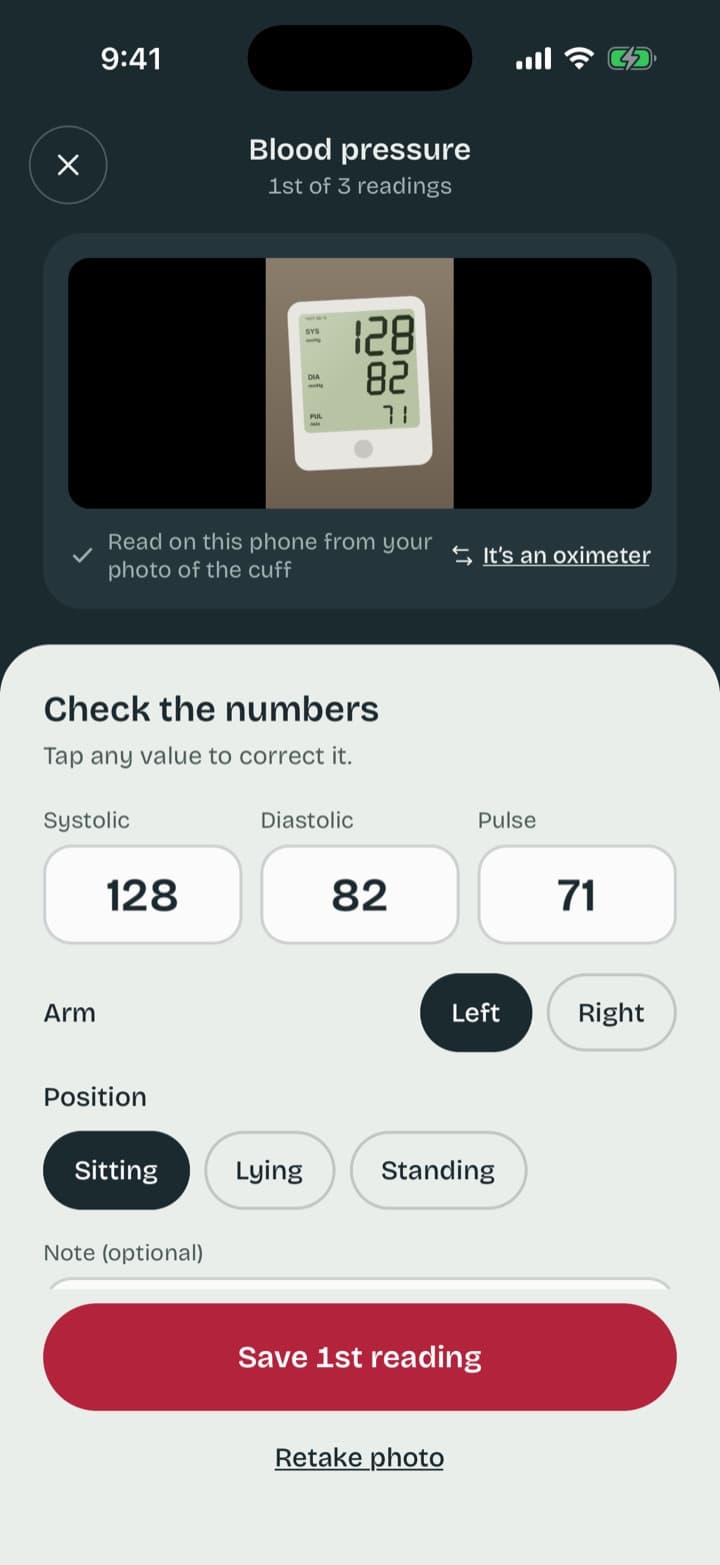
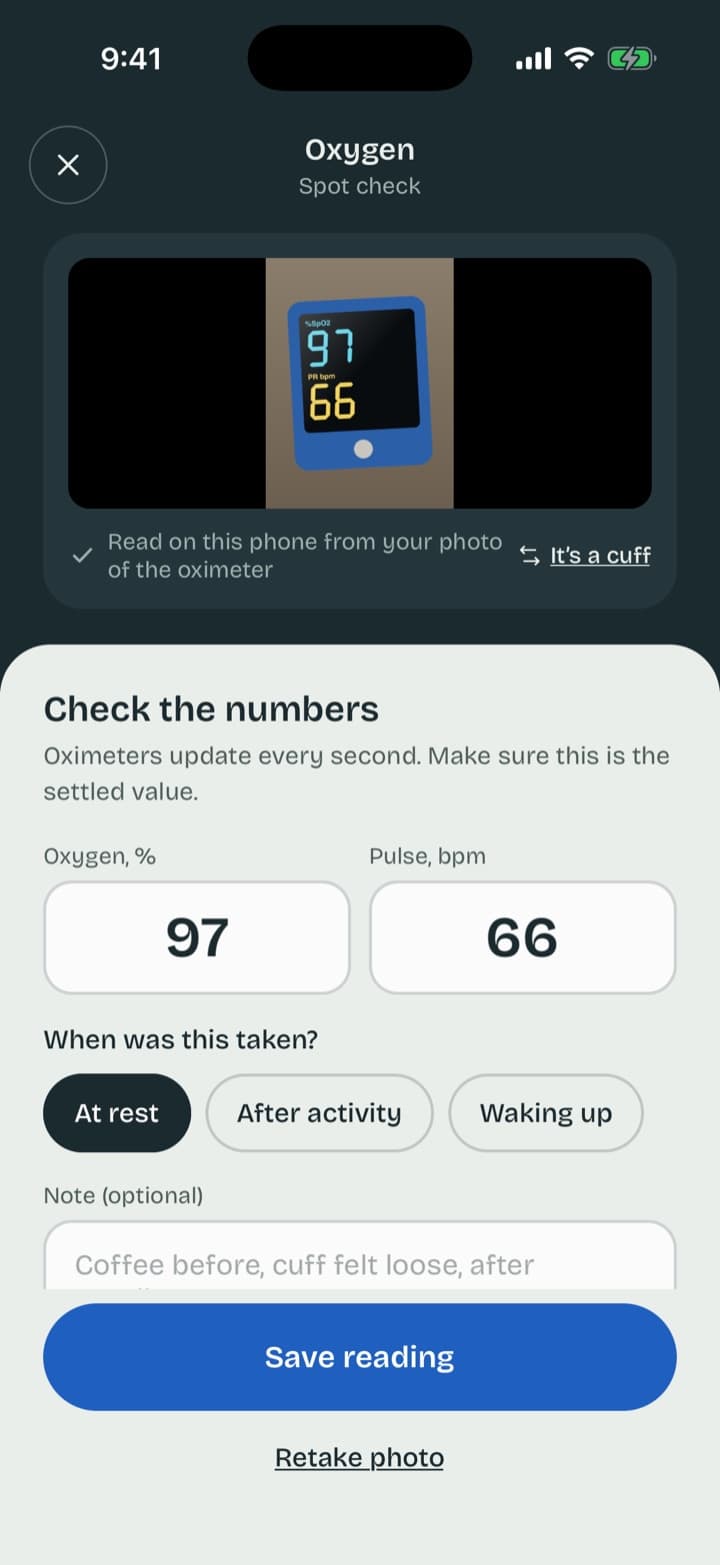
Photograph the screen
Cuff or oximeter, Pulseline tells which one it is and reads systolic, diastolic, pulse or oxygen.
Check and save
The numbers appear for you to confirm. Add the arm, your position and a note if you like.
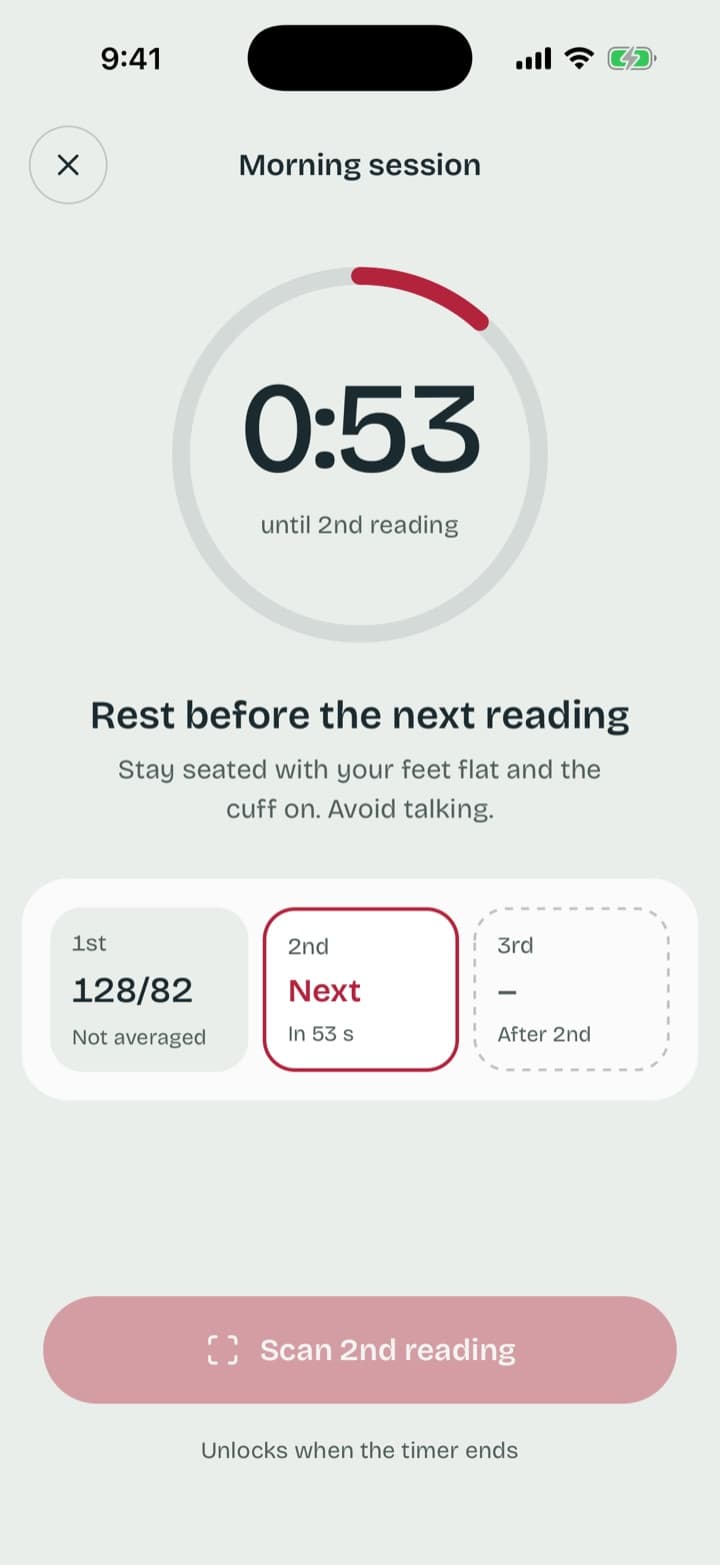
Rest, then the next one
A 60-second timer between readings. After the third, the first is set aside and the other two are averaged.
The 7-day home log
When your doctor asks for a week of readings
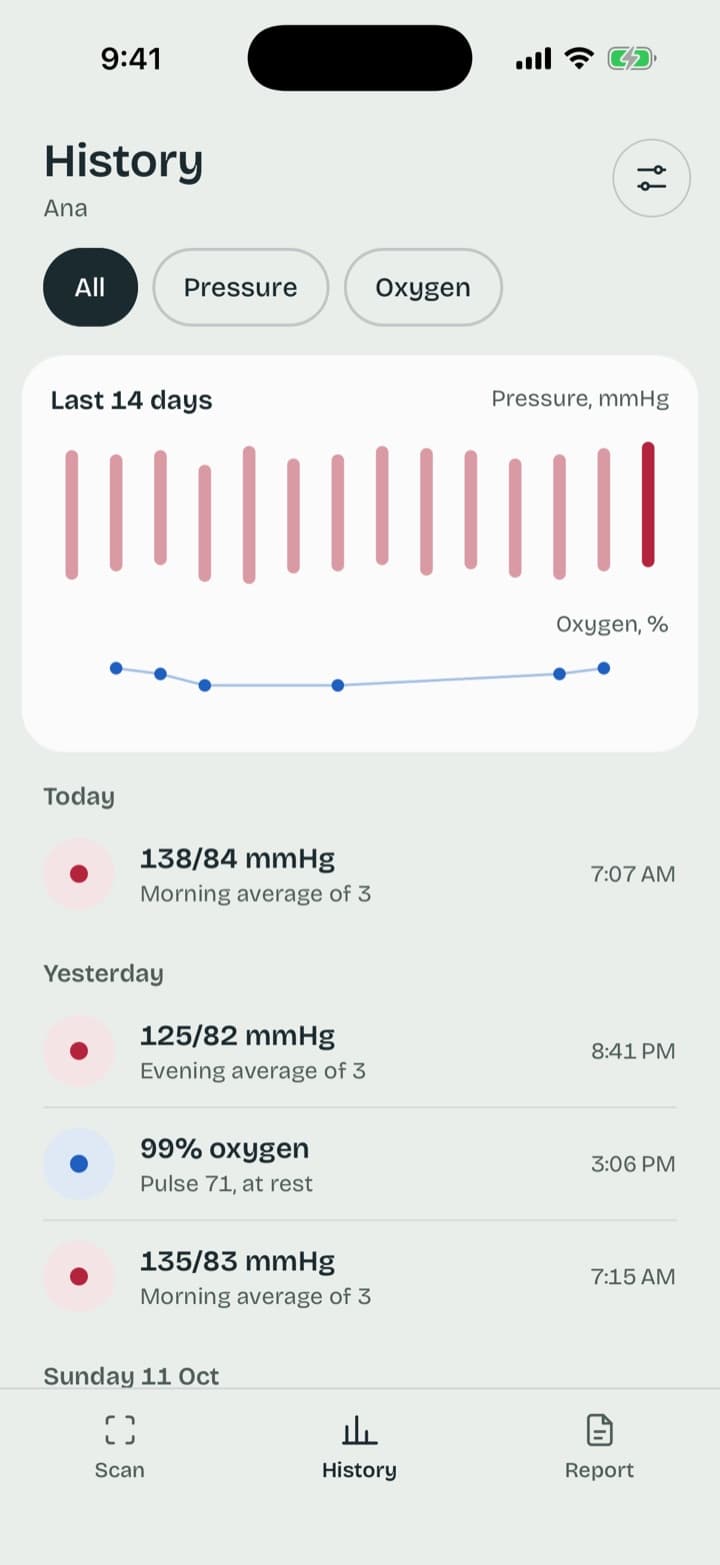
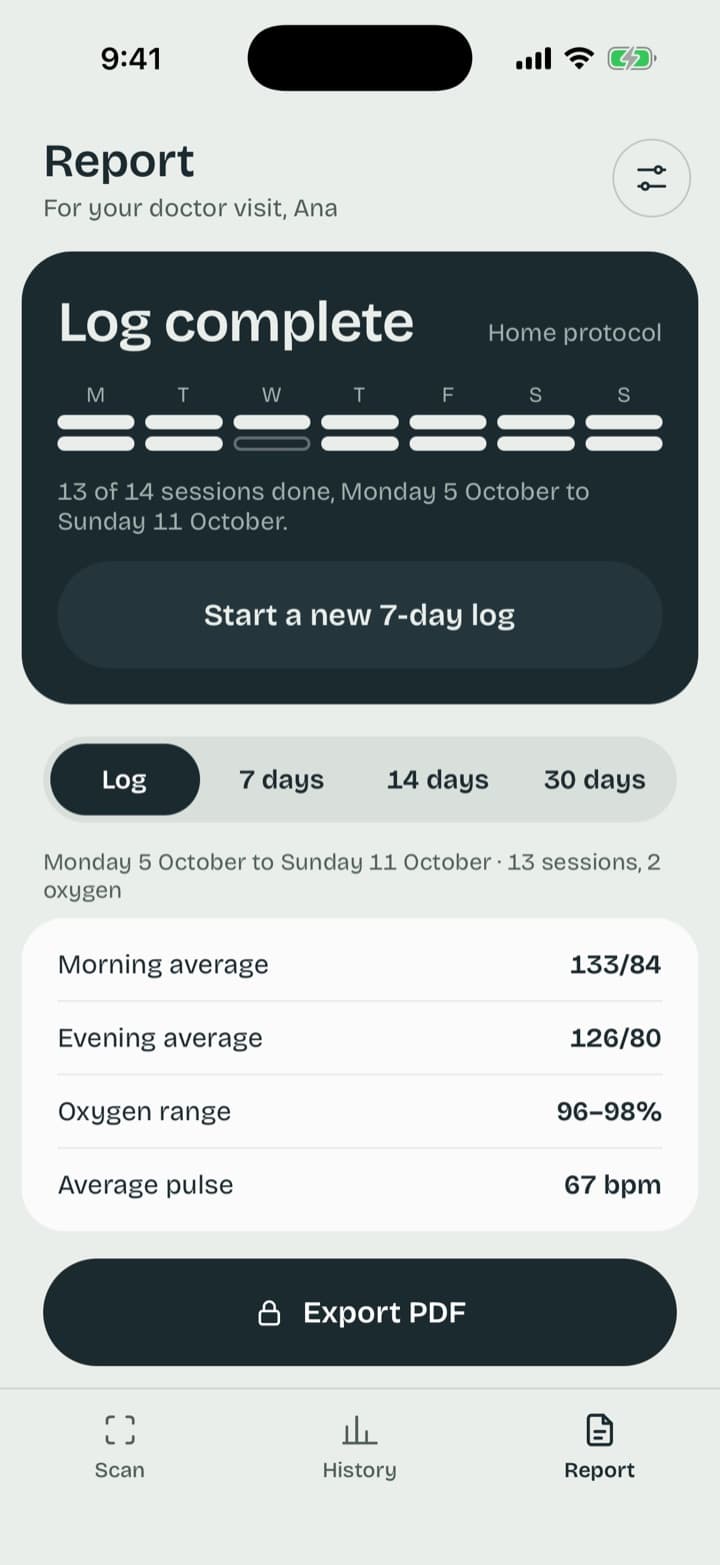
Start the log and Pulseline keeps track of each morning and evening session, reminds you when one is due, and has the report ready the day after.
- Morning and evening reminders, skipped when a session is already done
- Readings taken after midnight count towards the evening before
- Missed one? The log shows what is left, without pressure
Home blood pressure log
Day 1 not in the averages · 40 of 42 readings from photos
| Mon 7 Oct, morningDay 1, not averaged | 132/85 | |
| Mon 7 Oct, eveningDay 1, not averaged | 126/80 | |
| Tue 8 Oct, morning | 135/87 |
Doctor report
A page your doctor can read in a minute
Morning and evening averages first, then every session with its readings, arm and position, and your notes. Export a PDF and share it however you like.
- Pick the 7-day log, or the last 7, 14 or 30 days
- Oxygen spot checks included when you track them
- The first reading of each set is shown struck through, so it is clear what was averaged
- Day 1 of a 7-day log is listed but left out of the averages, as home monitoring guidance asks
- Every reading is marked as read from a photo or typed
Privacy
Your readings stay on your phone
No account, no ads, no analytics. What you record is yours to export or delete.
No sign-up
Open the app and start. There is nothing to log in to and no profile on a server.
Readings never leave the phone
History, sessions and reports are stored on your device. You decide when to share a PDF or a CSV.
You choose how photos are read
Online reading sends the photo, encrypted, to be read by an AI model and then discarded. On-phone reading keeps it on the device. Switch any time.
Optional Face ID lock
Lock the app with Face ID or your passcode, so readings stay private on a shared phone.
Also in Pulseline
For you and the people you look after
Blood pressure
Single readings or sets of three, with arm, position and notes.
Oxygen
Spot checks from a fingertip oximeter, at rest, after activity or on waking.
Family profiles
Keep a parent’s or partner’s readings separate from yours, each with their own report.
Questions
Good to know
Will it read my monitor?
Pulseline reads the screen of upper-arm and wrist cuffs and fingertip oximeters, including the segmented LCD digits most of them use. You always check the numbers before they are saved, and you can type a reading in whenever you prefer.
Where are my readings kept?
On your phone, in the app. There is no account and nothing to sign up for. You can export everything as a CSV file or delete it all from Settings.
What happens to the photo?
You choose when you set up the app. With online reading, the photo is sent over an encrypted connection to Pulseline’s server, read by an AI vision model, and not stored. With on-phone reading, the photo never leaves your phone; it works offline but reads some displays less reliably. You can change this in Settings at any time.
Does Pulseline tell me if my blood pressure is high?
No. Pulseline records readings and works out averages: in each set of three, the first is set aside and the other two are averaged, and day 1 of a 7-day log is left out of the report averages. It does not interpret them or give medical advice. Your doctor does that.
What does it cost?
Scanning, history, the 7-day log and family profiles are free. Exporting the PDF report for your doctor is a one-off purchase or a yearly plan.
Your next reading, logged in seconds
Free to scan and keep your history. Pay only if you want the PDF report.